

Why WordPress Triumphs Over Coding for Simplicity
April 24, 2026The Impressive Truth About NASA Using WordPress
April 25, 2026WORDPRESS
You can learn WordPress in 3 days. You won’t become a master in that time, but you can learn the full workflow, build a complete website, and get the confidence to keep going.
WordPress is made for fast, practical learning. The dashboard is simple. Many tools are visual and easy to try. If you spend three focused days with a clear plan and hands-on practice, you can go from “I know nothing about websites” to “I can build a working site myself.”
This guide is a deep, structured three day plan. Think of it as a short, personal bootcamp.
Introduction of WordPress:
What “learn in 3 days” really means
Learning in three days does not mean memorizing everything. It means you can:
– get how WordPress works
– find the settings you need
– make pages and posts
– design a basic layout
– add key features with plugins
– cover SEO, security and speed basics
– build a complete demo site from start to finish
That is realistic. And useful.
Day 1 — Foundation, setup, dashboard, content
Goal of Day 1: Installation and setup
Install WordPress on a local server or on hosting. During install you see the database connection, set up the admin login, enter the site title and tagline, and reach the dashboard. Doing this takes away the fear of the technical setup
2. Explore the dashboard slowly
Click through the menus. Posts. Pages. Media. Comments. Appearance. Plugins. Users. Tools. Settings. Don’t read theory first. Clicking around teaches more.
3.Create pages
Make a basic set of pages: Home, About, Services, Contact. Add headings, text and images with the block editor. Try the formatting tools.
4. Create blog posts
Write two posts and add categories, tags and a featured image. You’ll see how content is organized.
5. Set a static homepage:
Go to Settings → Reading and pick a static page. Now you control the homepage.
Result of Day 1:
You have pages and posts. You understand the dashboard and how to create content.
Day 2 — Design, themes, menus, plugins
Goal of Day 2:
Make the site look and feel professional and actually work.
1. Install and test themes:
Try a few themes. Watch layout, fonts, colors, header and footer. You learn design by looking and switching things.
2. Customize the theme:
Open the Customizer and change the logo, tweak colors, adjust fonts and edit header and footer.
3. Create a navigation menu:
Add pages to a menu and put it in the header. Your site now has real navigation.
4. Install essential plugins:
Add plugins for SEO, security, backup and a contact form. This shows how features get added.
5. Create the contact form:
Put the form on the Contact page.
6. Widgets:
Add recent posts or categories or a text block to the sidebar or footer.
Result of Day 2:
Your site starts to look like a real professional site with useful features.
Day 3 — Optimization and full practice build
Goal of Day 3:
Learn the basics of optimization and then rebuild the site from scratch.
1. SEO basics:
Edit permalinks. Add a meta title and description. Pick a focus keyword.
2. Security basics:
Keep WordPress updated. Use strong passwords. Turn on security settings.
3. Backup:
Take a full backup and download it.
4. Performance:
Compress images, remove unused plugins and test the page speed.
5. Rebuild the website again:
Do the full process once more. Install the theme. Create pages. Add the menu. Install plugins. Add content. Optimize. Repeating the steps makes the learning stick.
Skills you gain in wordpress 3 days:
– confidence with installation
– familiarity with the dashboard
– making pages and posts
– customizing themes
– using plugins
– building navigation
– basic SEO
– basic security awareness
– making backups
– basic performance work
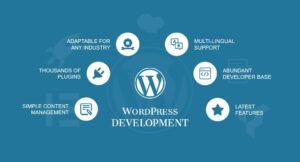
These are the core WordPress skills.
Common problems you’ll face and what they teach
Problem: layout breaks. Learning: how the theme works.
Problem: plugin conflict. Learning: troubleshooting.
Problem: menu not showing. Learning: menu locations.
Problem: images too large. Learning: optimization.
Problem: long URLs. Learning: permalink control.
These hiccups teach you more than a tutorial ever will.
Practice projects for each day:
Day 1 project: a personal blog layout.
Day 2 project: a small business site.
Day 3 project: a portfolio or services site:
Why three days is enough to start
WordPress is visual and practical. It’s beginner friendly and full of tutorials. It’s built so you can try things and learn by doing.
After three days — what next?
Keep practicing. Build new layouts. Try different themes. Explore more plugins. Learn page builders. Improve your design sense.
Tips to succeed in three days
– Spend 6 to 8 focused hours each day.
– Don’t overread theory.
– Click and test everything.
– Repeat the actions.
– Don’t be afraid of mistakes.
Confidence you build:
By the end you’ll be able to say, “I can build a website myself.” That is the real win.
Final thought
Learning WordPress in three days is realistic if you focus on practical work instead of theory. You won’t be an expert yet, but you will understand the system and be able to build real sites on your own. Three focused days can take you from beginner to a confident WordPress user ready to learn more.
You can learn WordPress in 3 days, build a real website, and start this journey with confidence.
The Confidence You Gain:
By the end, you will honestly say:
“I can build a website by myself.”
That confidence is the real achievements.
Now you can easily built an web sites.
Final Conclusion:
Three focused days are enough to understand the full WordPress workflow and build a real website. You won’t be an expert yet, but you will have a strong foundation and the ability to continue learning independently with clarity and confidence.
