

WordPress in 2026: Still Strong and Growing
April 24, 2026You Can Easily Master WordPress in Just 3 Days!
April 25, 2026Introduction of WordPress:
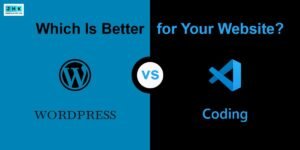
Many beginners who want to make a website ask the same thing. Should I learn coding or just use ? This question often stops people from starting. Coding looks hard and slow. looks simple and friendly. So, is WordPress really easier than coding?
The simple answer is yes. For most people, is much easier than learning to code from scratch. But to get why, you should see how both approaches work, what skills they need, and what you can actually do with each.
This guide covers all that for beginners. Read on and you’ll get why millions pick WordPress and whether it fits your goals.
Understanding What Coding Means:
Coding means writing instructions in programming languages to build sites or apps. To make a basic website by coding you need to learn a bunch of stuff. Like:
* HTML for the site structure
* CSS for design and layout
* JavaScript for interactivity
* PHP or another backend language for server logic
* Database work like MySQL
* Hosting setup and config
It takes months of practice. Even a simple site needs technical knowledge and problem solving. Coding gives full control. But it asks for patience and logical thinking.
Understanding What WordPress Means:
is a Content Management System, or CMS. It lets you make websites without writing code. It gives you things like:
* themes you can apply for design
* plugins that add features
* a visual editor for content
* a dashboard that lets you manage everything
You can build blogs, business sites, portfolios, online stores and more just by installing WordPress and using its tools.
Key Difference Between Coding and WordPress
| Aspect | Coding | |
| Learning time | Months | Days |
| Technical knowledge | High | Low |
| Website creation | From scratch | Using ready tools |
| Design | Manual with CSS | Themes |
| Features | Program manually | Plugins |
| Maintenance | Complex | Simple |
| Speed | Slow for beginners | Fast |
| Cost | Developer cost | Mostly free |
Why WordPress Feels Easier:
- No programming required.
Clicks, not code.
- Ready-made themes.
Change the whole look in seconds.
- Plugins add features.
Want a contact form? Install one. Need SEO help? Install a plugin.
- Visual editor.
You type like in Word. No HTML tags.
- Simple dashboard.
Most settings in one place.
Time Comparison: Coding vs WordPress
| Task | Coding Time | WordPress Time |
| Learn basics | 2–3 months | 1 day |
| Create homepage | 1–2 days | 30 minutes |
| Add contact form | 2–3 hours | 5 minutes |
| Design layout | Many hours | Choose theme |
| Add blog | Program manually | One click |
You can see how much time WordPress saves.
Cost Comparison
Learning to code might mean paying for courses, buying tools, and hiring designers. Plus long development time.
WordPress needs hosting and a domain. Most themes and plugins are free. Overall it’s cheaper.
Flexibility and Customization:
Some people think WORDPRESS limits creativity. Not true. With thousands of themes and plugins you can change colors, tweak layouts, pick fonts and add features. Want something custom? Advanced users can add their own code.
Maintenance and Updates:
With coded sites you update and fix things by hand.
With WORDPRESS updates are one click. Security plugins help protect your site. Backups are easier too.
SEO Advantage:
Making a coded site search-friendly means knowing technical SEO. WordPress has plugins that walk you through the steps.
Who Should Choose Coding?
Pick coding if you want to become a developer, if you plan very complex web apps, if you like programming, or if you need total control over every detail.
Who Should Choose WordPress?
Pick if you want a site fast, if you’re a student, blogger or small business owner, if you don’t want to learn programming, or if you want professional results quickly.
Real-Life Example
Say you want a bakery website.
Coding means design, program, test, deploy. A lot of work.
WordPress means install WordPress. Choose a theme. Add images. Done.
Learning Curve
Coding has a steep learning curve.
WordPress is gentle. Even school students can pick it up in days.
Popularity of WordPress:
Over 40% of websites use WordPress. That shows how trusted and common it is.
Common Myths About WordPress:
Myth. WordPress is only for blogs.
Truth. You can build any kind of site.
Myth. WordPress is not professional.
Truth. Big companies use it too.
Myth. WordPress is hard.
Truth. It’s made for beginner
Skills You Gain with WordPress:
You’ll learn how to design sites, manage content, handle basic SEO, tweak performance, and manage security. Those are useful skills.
Can WordPress Replace Coding?
For most websites, yes. For very advanced applications, you’ll still need coding. But about 90% of normal sites can be built fully with WordPress.
Speed of Website Creation
You can make a full site in one day with WordPress. Coding can take weeks.
Support and Community
WordPress has a huge community. If you run into problems you’ll usually find solutions fast.
Freelancing Opportunities
You can earn money building WordPress sites without knowing how to code.
Final Comparison Summary
| Feature | Coding | |
| Difficulty | Hard | Easy |
| Time | Long | Short |
| Learning | Technical | Simple |
| Maintenance | Complex | Easy |
| Cost | High | Low |
| Beginner Friendly | No | Yes |
Conclusion
So, is easier than coding? Absolutely yes.
If you want to build websites quickly, without learning complex programming, Word is the smart choice. Coding is powerful but it takes time and effort. WordPress gets you similar results with a lot less work.
For beginners, students, bloggers and business owners, is the sensible path. Start today and you can have an impressive site in a few days.
